
Python Foundations: A Beginner’s Complete Guide to Writing Real Code
A ground-up guide focusing on the essential "new" Python, from type hinting and Pydantic validation to efficient environment management with Bun/uv.

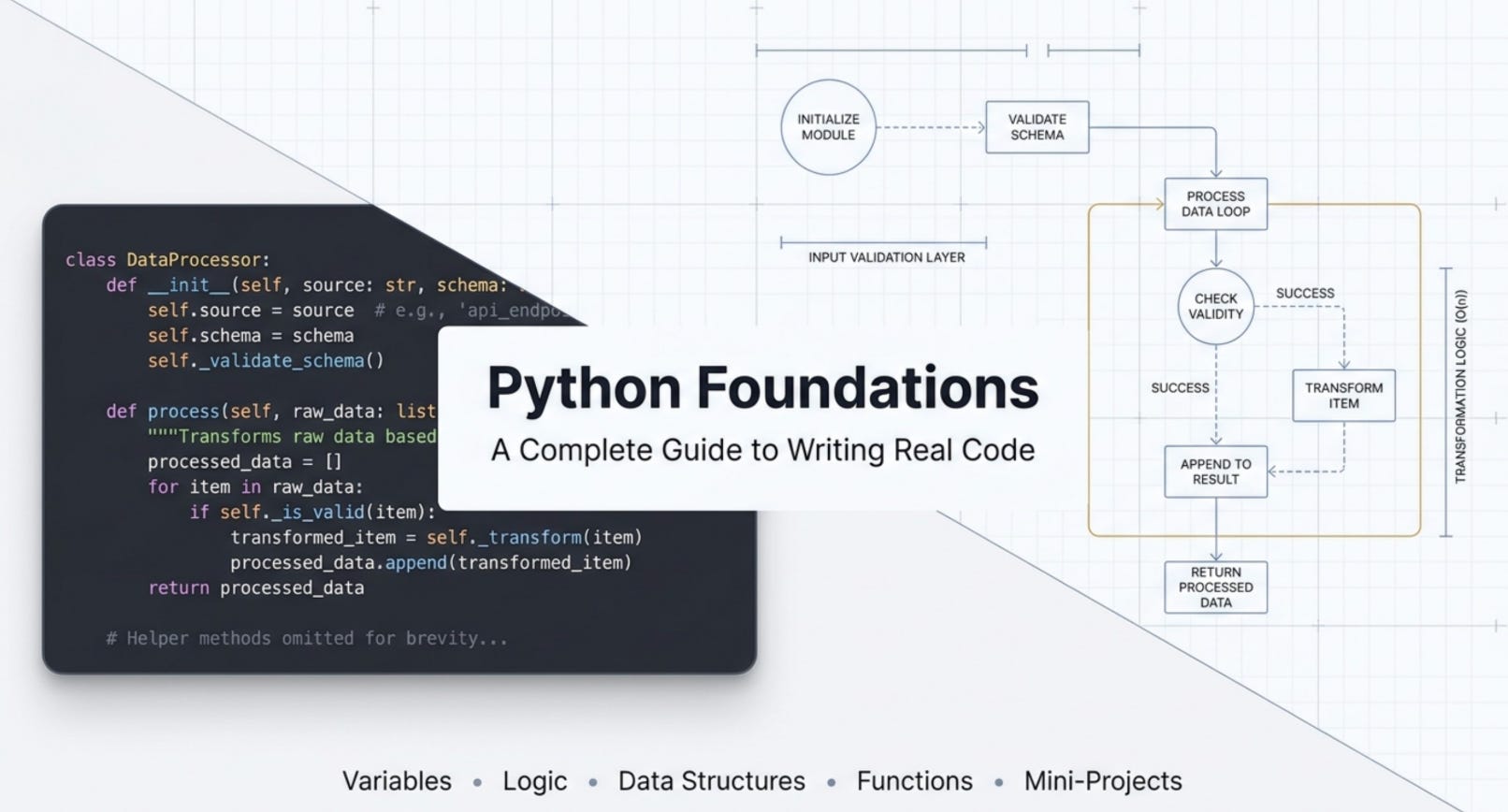
If you have been putting off learning Python because it feels overwhelming, this guide is for you. We are going to cover everything from the absolute basics to writing real mini projects, with actual code you can run yourself and see the output immediately. No fluff, no theory overload. Just clear explanations and working code.
By the end of this guide, you will understand variables, control flow, data structures, functions, Pythonic patterns, file handling, and you will have built three mini projects from scratch.
What will you learn?
Variables and Types: How Python stores and identifies data
Type Casting: Converting between data types when needed
Control Flow: Making decisions with
if/elif/elseand repeating withforandwhileData Structures: Lists for ordered collections, tuples for fixed data, sets for unique values, dictionaries for key value pairs
Functions: Packaging logic into reusable, named blocks
Pythonic Patterns: List comprehensions, lambda functions, and error handling that make your code cleaner
File Handling: Reading, writing, and appending to files safely with the
withstatementMini Projects: A calculator, a persistent to-do list, and a CSV file parser
Part 1: Variables, Data Types, and Type Casting
What is a Variable?
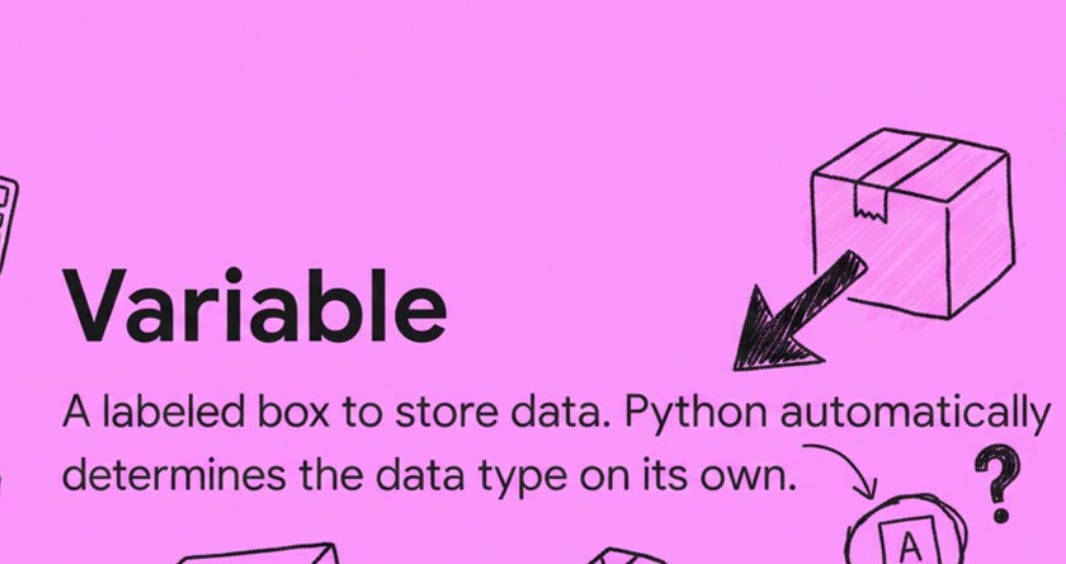
Think of a variable as a labeled box. You put something inside the box and give it a name so you can find it later. In Python, you do not need to declare what type of data will go into the box ahead of time. Python figures that out on its own.
name = "Alice"
age = 25
height = 5.6
is_student = True

print(type(name))
print(type(age))
print(type(height))
print(type(is_student))
print(f"Name: {name}, Age: {age}, Height: {height}, Student: {is_student}")
Output:
<class 'str'>
<class 'int'>
<class 'float'>
<class 'bool'>
Name: Alice, Age: 25, Height: 5.6, Student: True
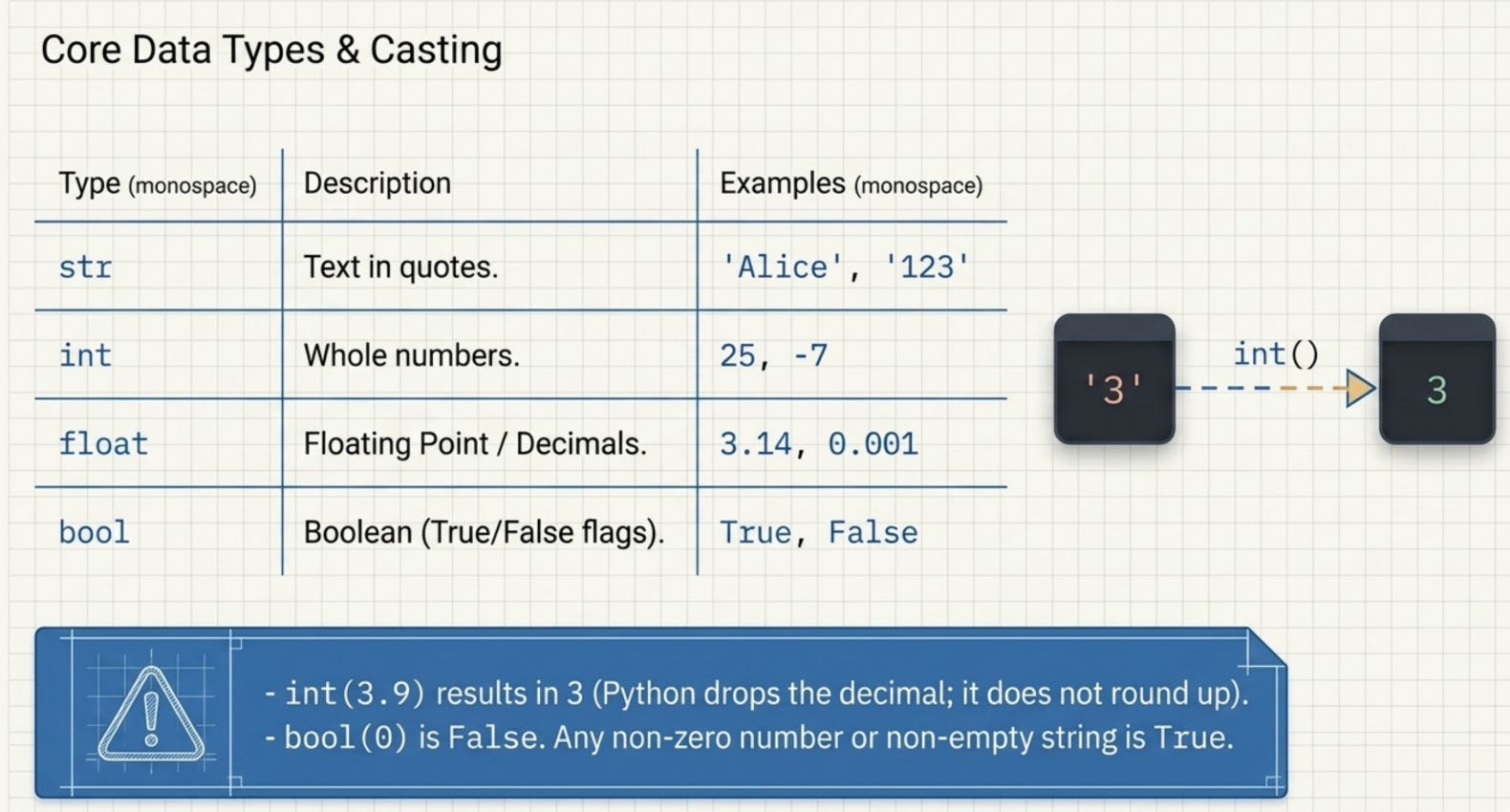
Python has four primary data types you will use constantly:
str (string): Any text enclosed in quotes.
"Alice","hello world","123"are all strings.int (integer): Whole numbers without decimals.
25,100,0,-7are all integers.float (floating point): Numbers with decimal points.
5.6,3.14,0.001are floats.bool (boolean): Only two possible values,
TrueorFalse. Used for conditions and flags.
The type() function tells you exactly what type a variable is. This is incredibly useful when debugging or when you are not sure what kind of data you are dealing with.
Dynamic Typing
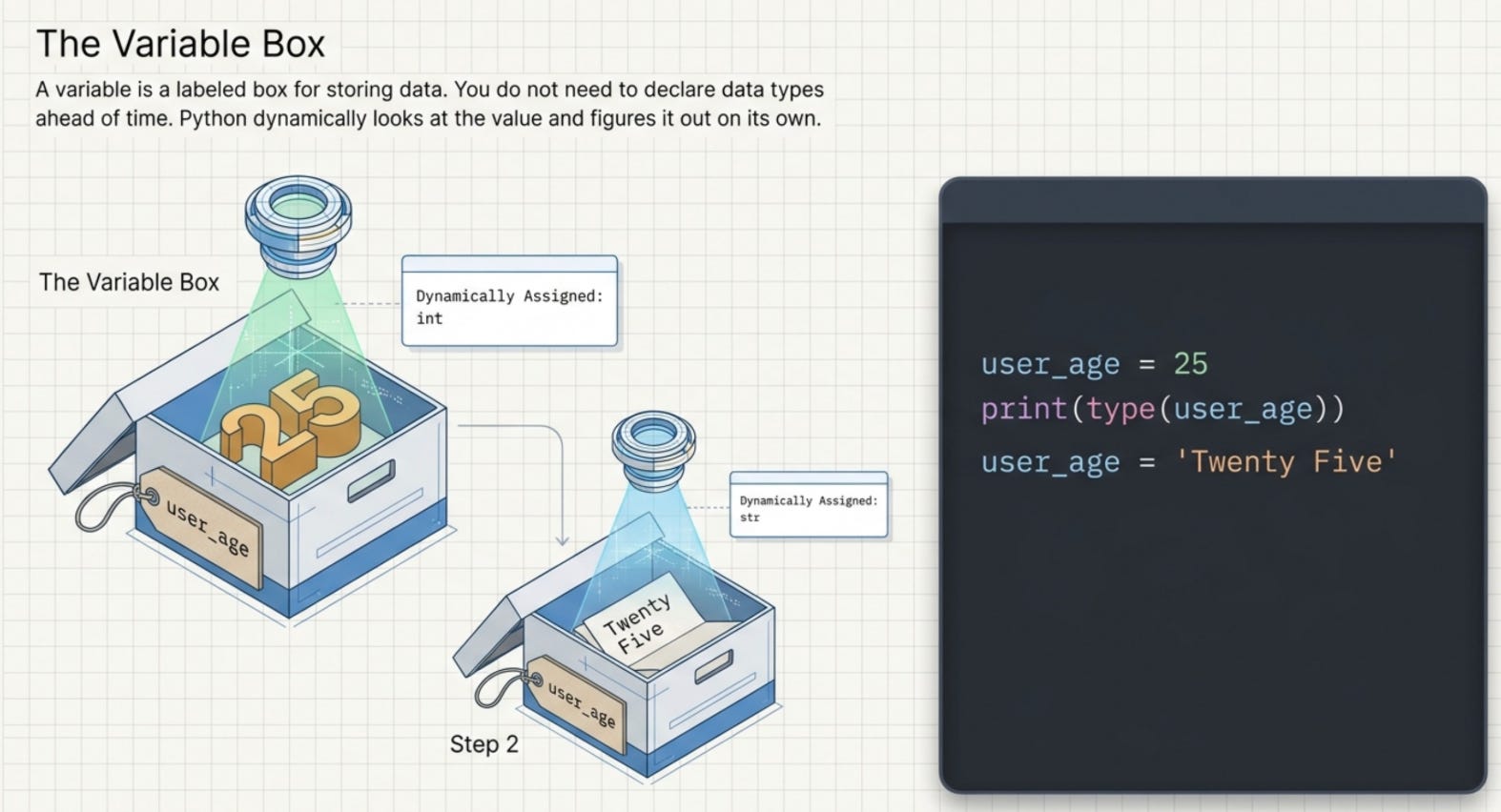
One of Python’s most beginner friendly features is dynamic typing. You do not write string name = "Alice" like in Java or C++. Python looks at the value you assign and automatically determines the type. You can even reassign a variable to a completely different type later:
x = 10        # x is an int
x = "hello"   # now x is a str, Python is fine with this
Type Casting
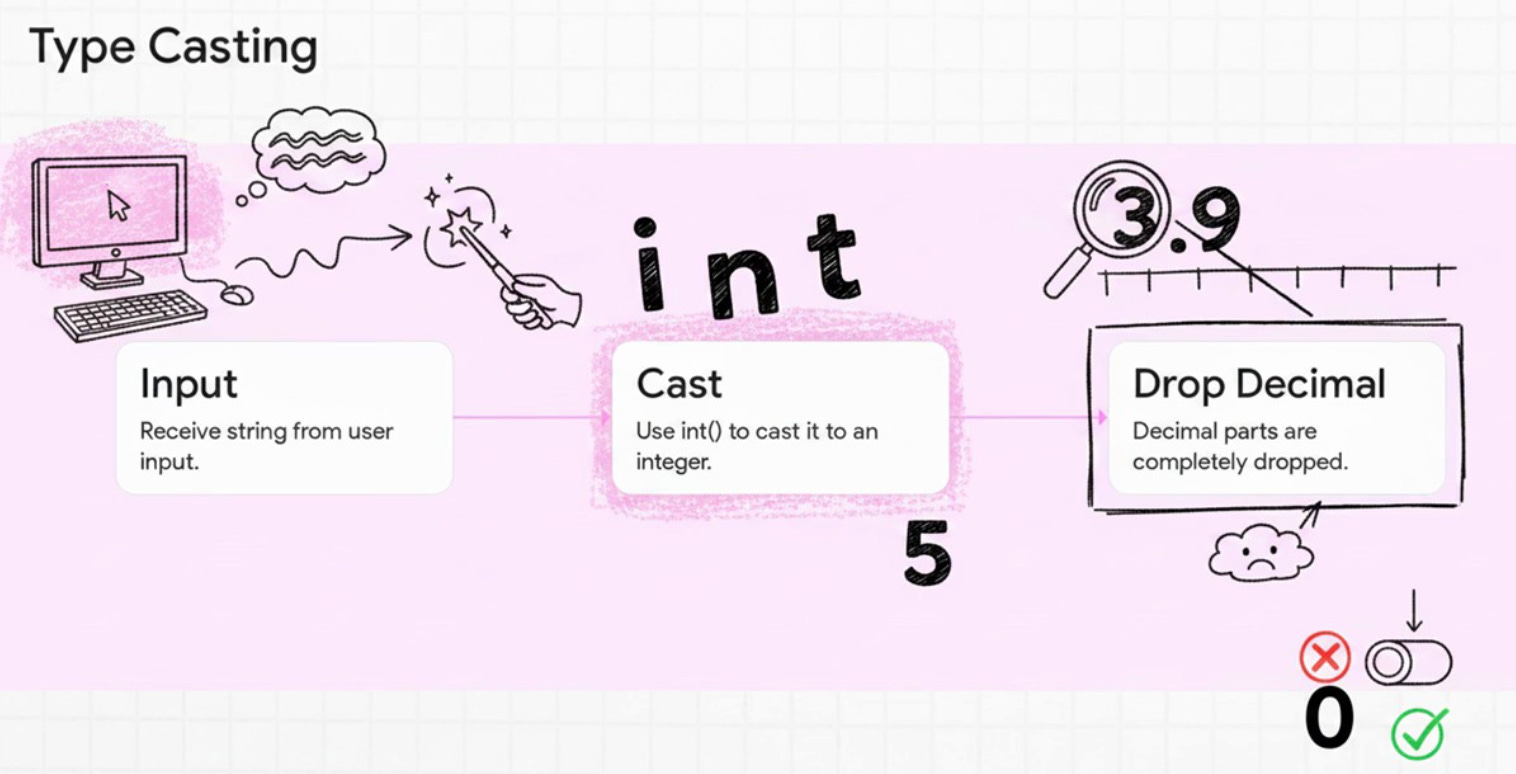
Sometimes you receive data in one format but need it in another. For example, when a user types a number into an input field, Python receives it as a string. You need to convert it to an integer before you can do math with it. This conversion is called type casting.
x = "42"
y = int(x)
z = float(x)
b = bool(0)
b2 = bool(1)
print(f"String '42' to int: {y}, type: {type(y)}")
print(f"String '42' to float: {z}, type: {type(z)}")
print(f"bool(0): {b}")
print(f"bool(1): {b2}")
print(f"int(3.9): {int(3.9)}")
print(f"str(100): '{str(100)}'")
Output:
String '42' to int: 42, type: <class 'int'>
String '42' to float: 42.0, type: <class 'float'>
bool(0): False
bool(1): True
int(3.9): 3
str(100): '100'
Notice that int(3.9) gives you 3, not 4. Python does not round up. It simply drops the decimal part. Also notice that bool(0) is False and anything non zero is True. This becomes very useful when you are checking whether a number exists, a list is empty, or a string has content.
Part 2: Control Flow
if / elif / else
Control flow is how your program makes decisions. The if statement is the foundation of all decision making in Python.
score = 85

if score >= 90:
    print("Grade: A")
elif score >= 80:
    print("Grade: B")
elif score >= 70:
    print("Grade: C")
else:
    print("Grade: F")
Output:
Grade: B
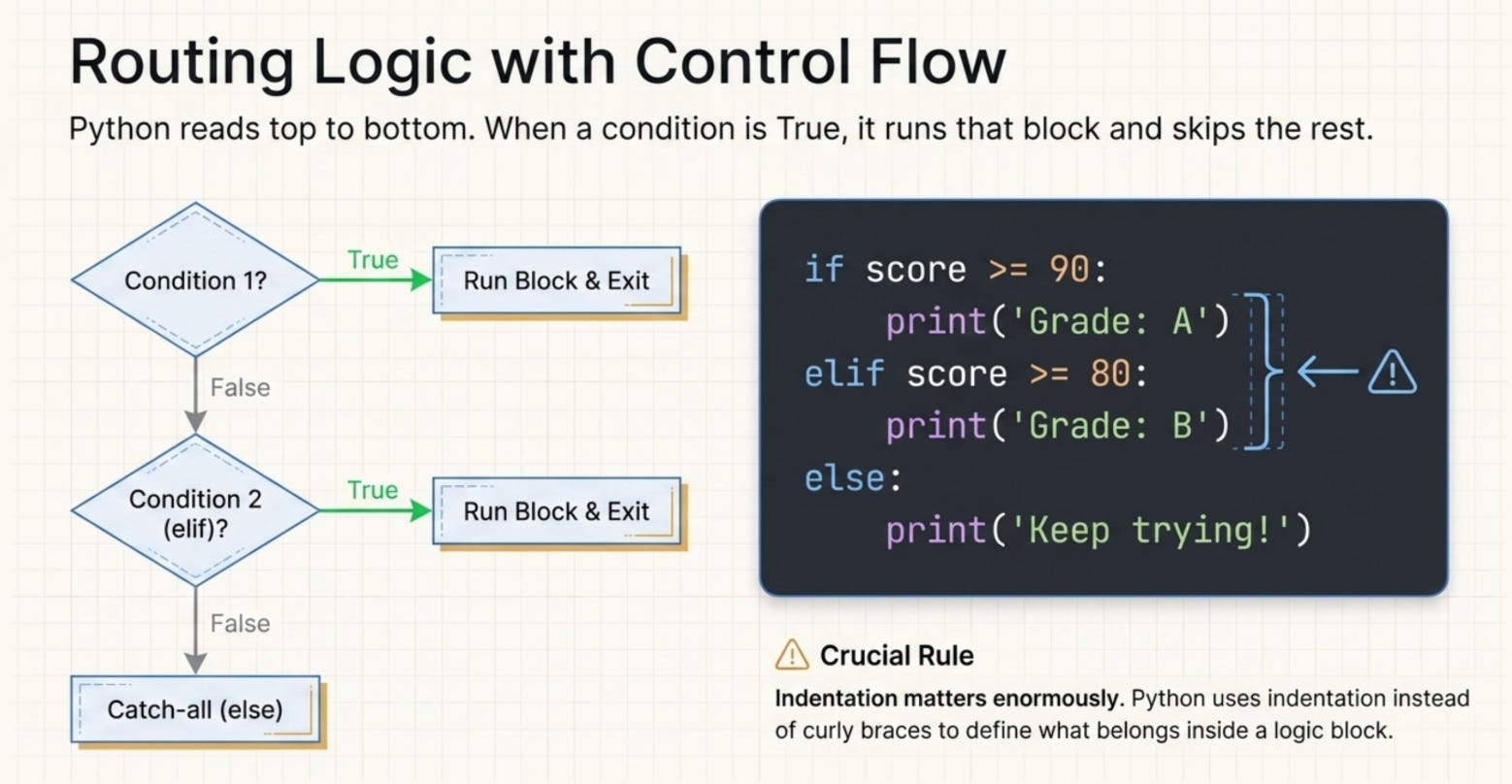
Python reads this from top to bottom. When it finds a condition that is True, it runs that block and skips all the rest. The elif (short for “else if”) lets you chain multiple conditions. The else at the end is a catch all that runs only if none of the conditions above were true.
One thing beginners often miss: the indentation matters enormously in Python. Everything indented under an if block belongs to that block. Python uses indentation instead of curly braces like other languages.
Loops:
for Loops
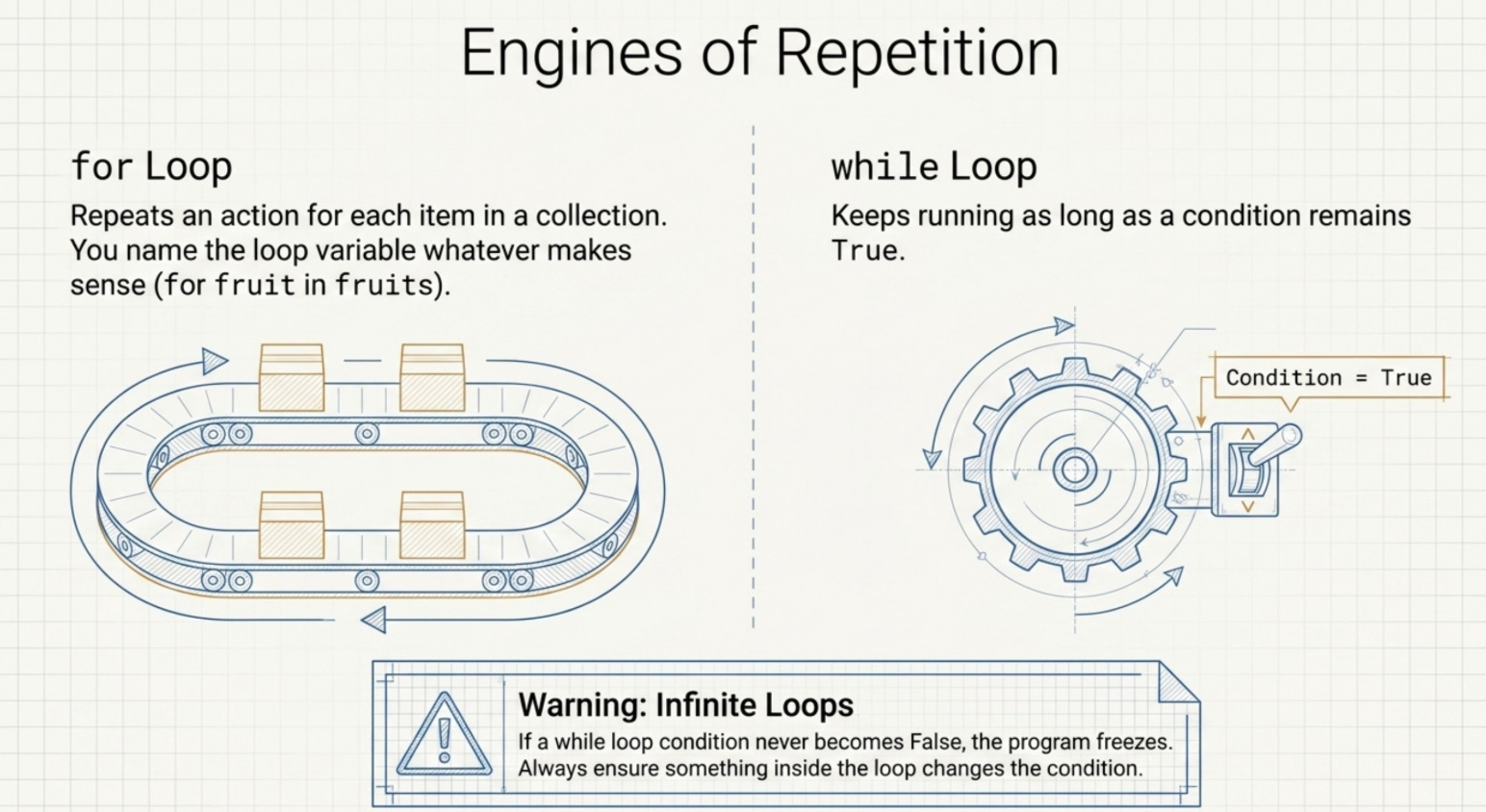
A for loop lets you repeat an action for each item in a collection.
print("Counting fruits:")
fruits = ["apple", "banana", "cherry"]
for fruit in fruits:
    print(f"  {fruit}")
Output:
Counting fruits:
  apple
  banana
  cherry
The loop variable fruit takes on each value from the list one at a time. You can name it whatever makes sense for your context. for item in items, for name in names, for number in numbers are all valid.
while Loops
A while loop keeps running as long as a condition remains True. It is useful when you do not know in advance how many times you need to repeat something.
print("Countdown:")
n = 5
while n > 0:
    print(f"  {n}")
    n -= 1
Output:
Countdown:
  5
  4
  3
  2
  1
Be careful with while loops. If your condition never becomes False, the loop runs forever. That is called an infinite loop and it will freeze your program. Always make sure something inside the loop changes the condition so it eventually stops.
break, continue, and pass
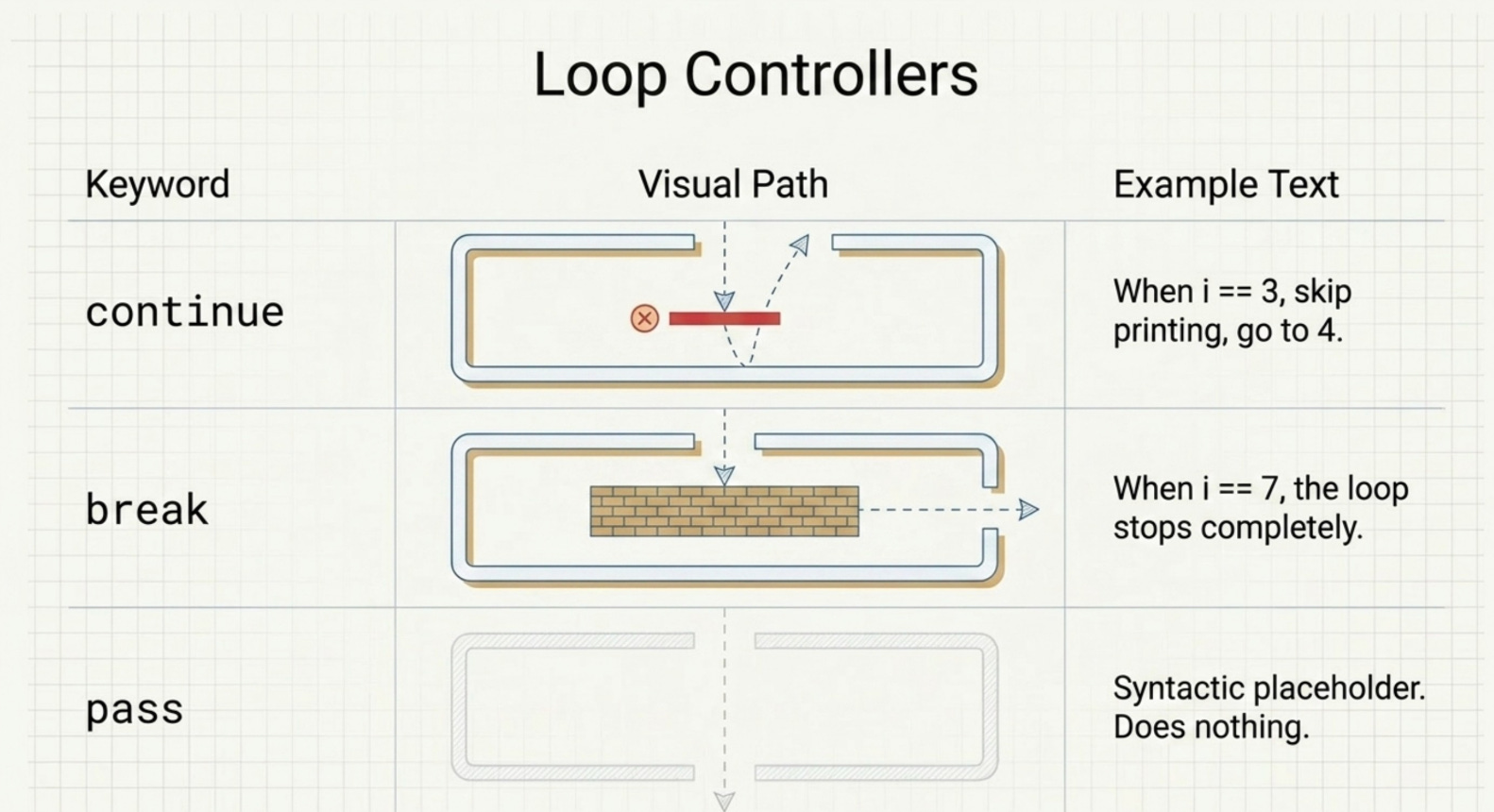
These three keywords give you fine grained control over your loops:
print("Skip 3, stop at 7:")
for i in range(1, 10):
    if i == 3:
        continue
    if i == 7:
        break
    print(f"  {i}")
Output:
Skip 3, stop at 7:
  1
  2
  4
  5
  6
continue: Skip the rest of the current iteration and jump to the next one. When
i == 3, we skip printing it and go straight toi = 4.break: Exit the loop entirely. When
i == 7, the loop stops completely. That is why7,8, and9never appear.pass: Does nothing. It is a placeholder when Python requires a statement syntactically but you do not want any action to happen. You will use it when stubbing out functions or empty class bodies.
Part 3: Data Structures
Lists
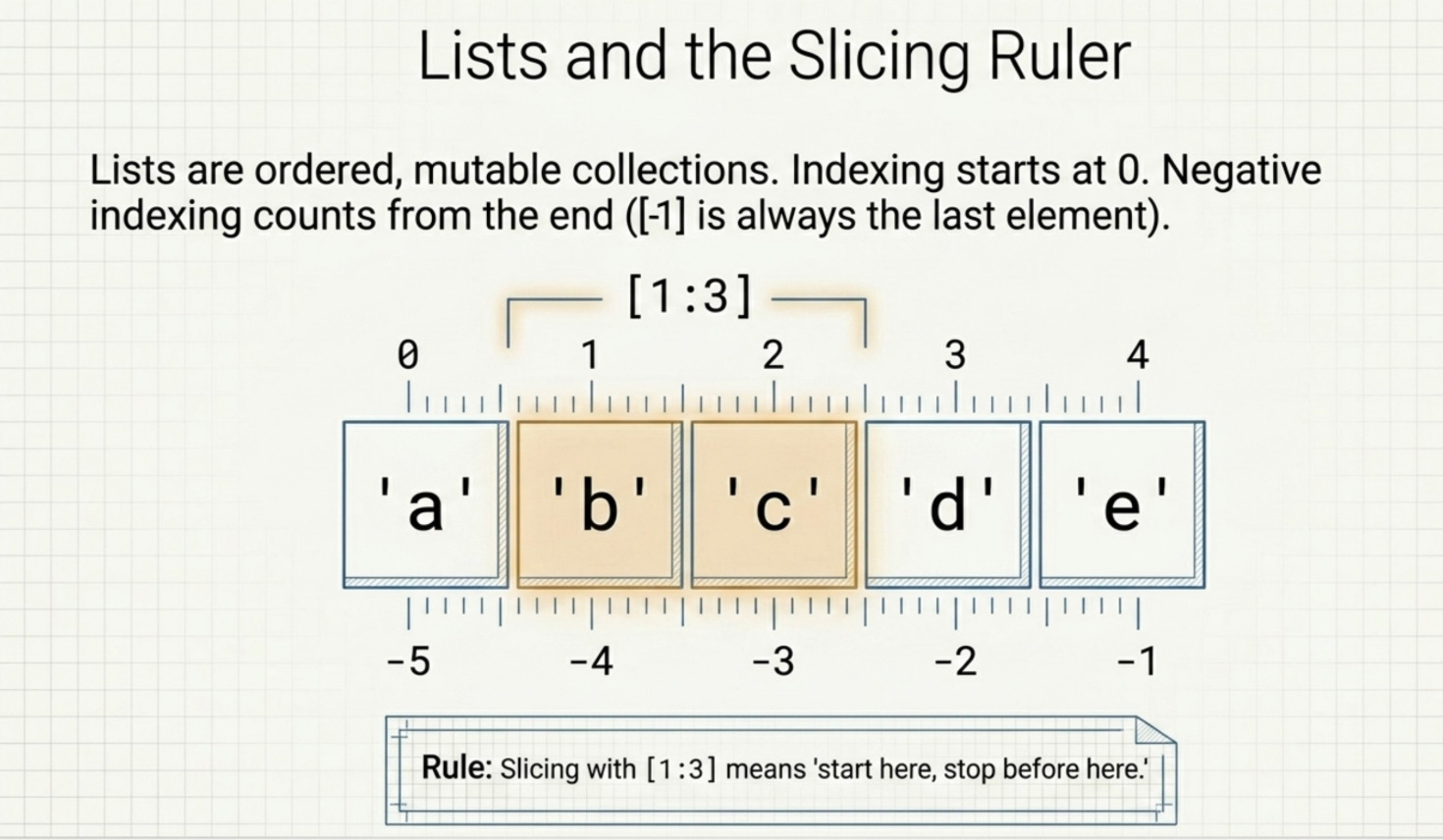
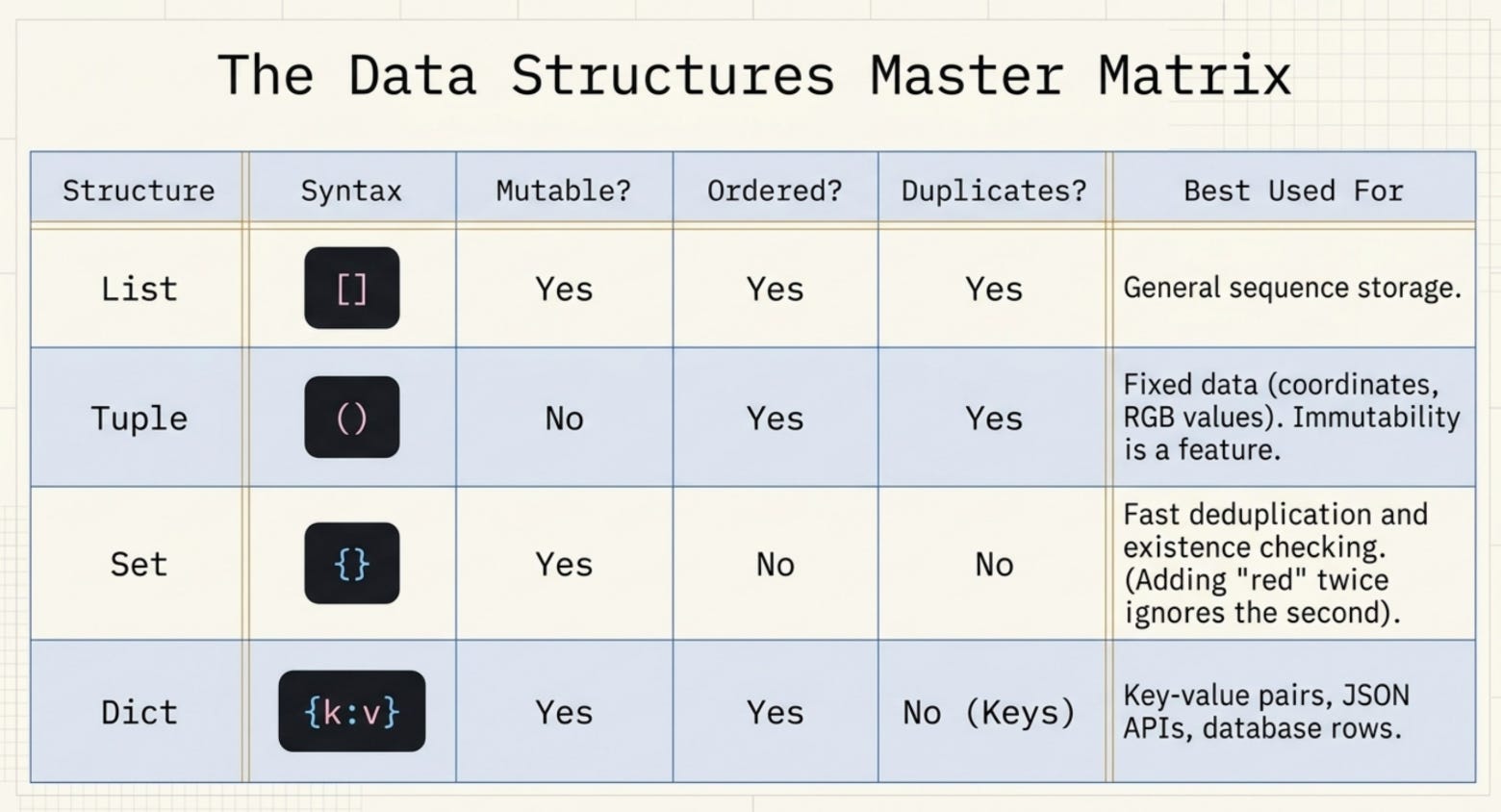
A list is an ordered, mutable collection. Mutable means you can change it after creating it. Lists are probably the data structure you will use most often.
print("=== LIST ===")
nums = [10, 20, 30, 40, 50]
print(f"List: {nums}")
print(f"Index 0: {nums[0]}")
print(f"Last element: {nums[-1]}")
print(f"Slice [1:3]: {nums[1:3]}")
nums.append(60)
nums.remove(20)
print(f"After append(60) and remove(20): {nums}")
Output:
=== LIST ===
List: [10, 20, 30, 40, 50]
Index 0: 10
Last element: 50
Slice [1:3]: [20, 30]
After append(60) and remove(20): [10, 30, 40, 50, 60]
Indexing starts at 0 in Python. So nums[0] is the first element, nums[1] is the second, and so on. Negative indexing counts from the end, so nums[-1] always gives you the last element regardless of how long the list is.
Slicing with [1:3] gives you elements from index 1 up to but not including index 3. Think of it as “start here, stop before here.”
Tuples
A tuple looks like a list but uses parentheses and is immutable (you cannot change it after creation).
print("=== TUPLE ===")
coords = (10, 20, 30)
print(f"Tuple: {coords}")
print(f"coords[1]: {coords[1]}")
Output:
=== TUPLE ===
Tuple: (10, 20, 30)
coords[1]: 20
Use tuples when you have data that should never change, like coordinates, RGB color values, or database records. The immutability is a feature, not a limitation. It signals to anyone reading your code that this data is fixed.
Sets
A set is an unordered collection of unique values. If you add a duplicate, it simply gets ignored.
print("=== SET ===")
colors = {"red", "green", "blue", "red"}
print(f"Set (no duplicates): {colors}")
colors.add("yellow")
print(f"After add yellow: {colors}")
Output:
=== SET ===
Set (no duplicates): {'blue', 'green', 'red'}
After add yellow: {'yellow', 'blue', 'green', 'red'}
Notice that even though we passed "red" twice, the set only has it once. Sets are perfect for deduplication tasks. They are also very fast at checking whether something exists in the collection because of how they are implemented internally.
Dictionaries
A dictionary stores data as key value pairs. Instead of accessing items by position number, you access them by a meaningful name (the key).
print("=== DICTIONARY ===")
person = {"name": "Bob", "age": 30, "city": "Delhi"}
print(f"Dict: {person}")
print(f"person['name']: {person['name']}")
person["email"] = "bob@example.com"
print(f"Keys: {list(person.keys())}")
print(f"Values: {list(person.values())}")
Output:
=== DICTIONARY ===
Dict: {'name': 'Bob', 'age': 30, 'city': 'Delhi'}
person['name']: Bob
Keys: ['name', 'age', 'city', 'email']
Values: ['Bob', 30, 'Delhi', 'bob@example.com']
Dictionaries are incredibly powerful for representing structured data. A JSON response from an API? That maps directly to a Python dictionary. A row from a database? Also a dictionary. Getting comfortable with dictionaries early will save you enormous amounts of time later.
Part 4: Functions
Functions let you package a piece of logic once and reuse it as many times as you need. They are the building blocks of clean, maintainable code.
Defining Functions
def greet(name, greeting="Hello"):
    return f"{greeting}, {name}!"

print(greet("Alice"))
print(greet("Bob", "Hi"))
print(greet(name="Charlie", greeting="Hey"))
Output:
Hello, Alice!
Hi, Bob!
Hey, Charlie!
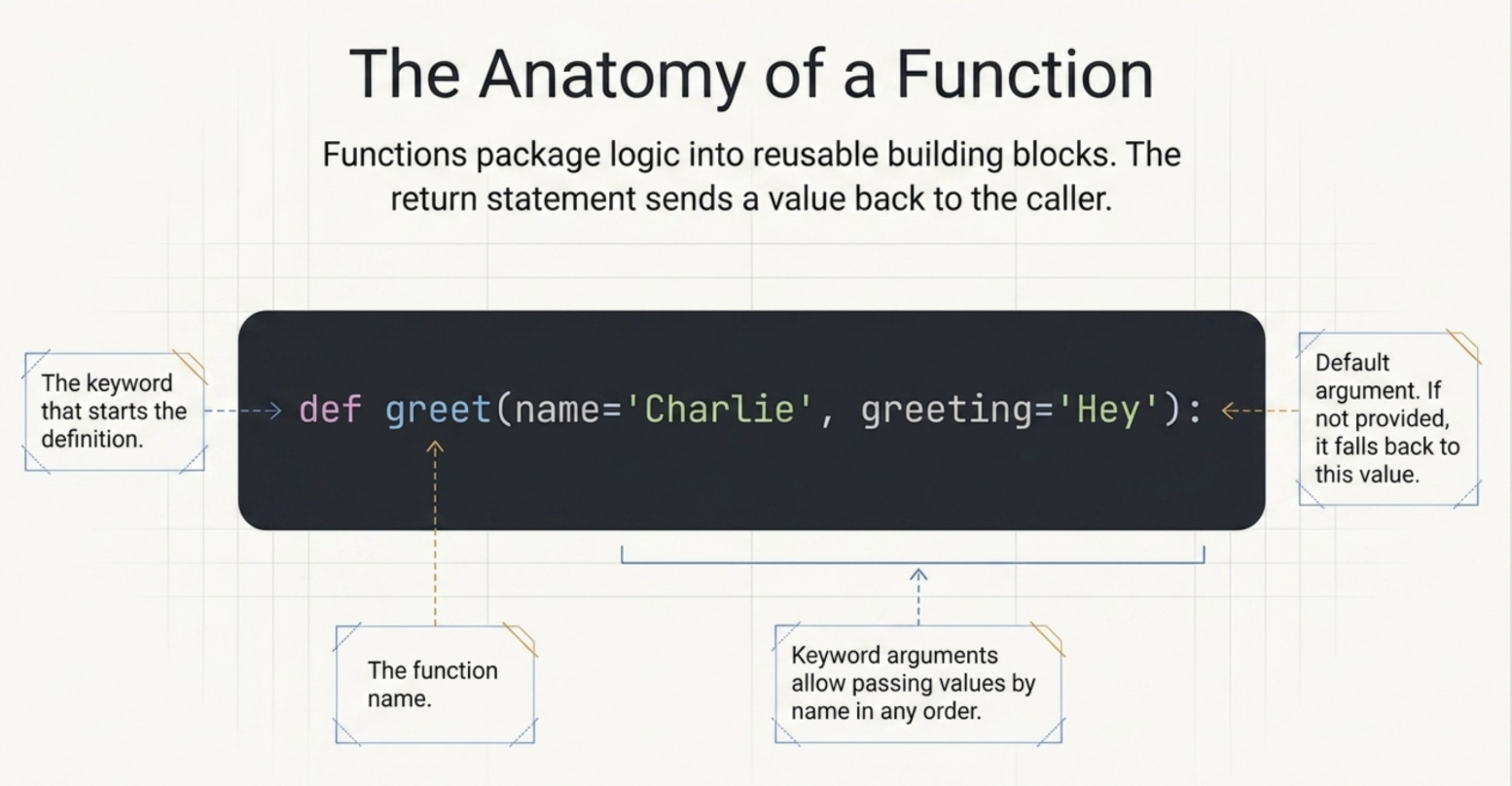
The def keyword starts a function definition. The name comes next, then parentheses with parameters. The return statement sends a value back to wherever the function was called from.
The greeting="Hello" part is a default argument. If you call greet("Alice") without providing a greeting, it automatically uses "Hello". If you provide one, it uses that instead.
Keyword arguments like greet(name="Charlie", greeting="Hey") let you pass arguments by name rather than position. This makes your code more readable and lets you specify arguments in any order.
Multiple Return Values
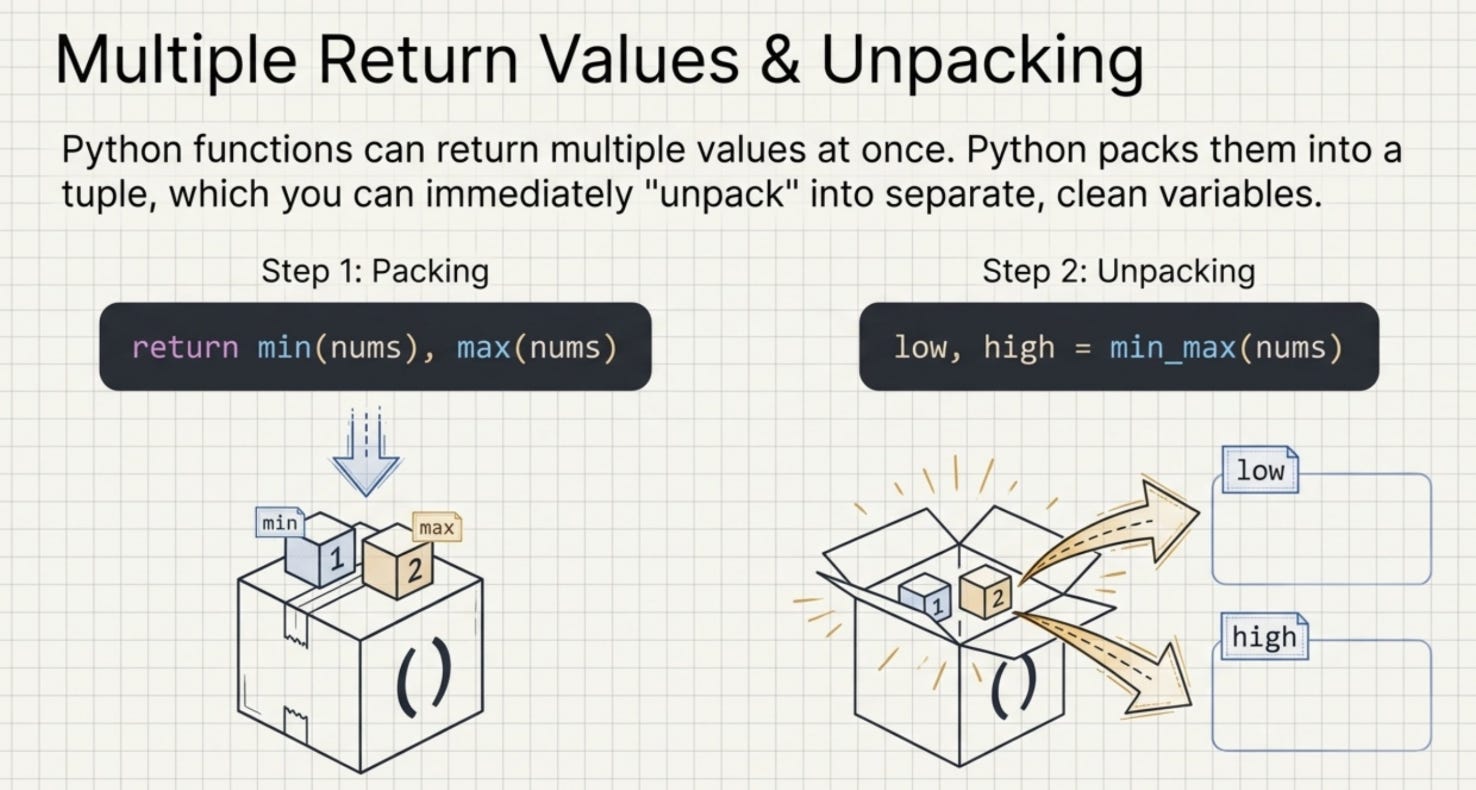
Python functions can return multiple values at once using a technique called tuple unpacking:
def min_max(numbers):
    return min(numbers), max(numbers)

low, high = min_max([3, 1, 9, 5, 2])
print(f"Min: {low}, Max: {high}")
Output:
Min: 1, Max: 9
When you write return min(numbers), max(numbers), Python packs both values into a tuple and returns it. Then low, high = min_max(...) unpacks that tuple back into two separate variables. This is cleaner than returning a list and accessing by index.
Part 5: Pythonic Features
List Comprehensions
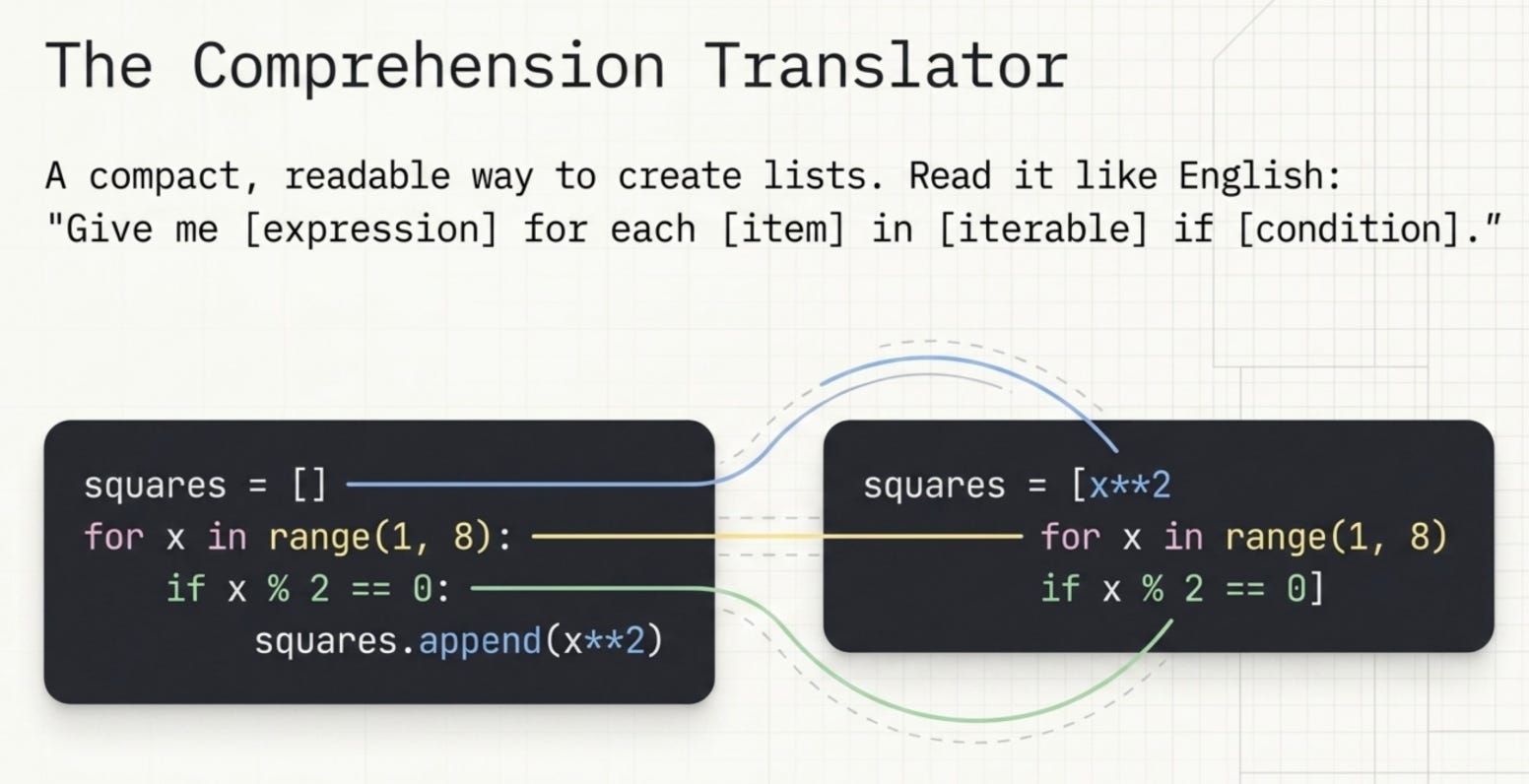
A list comprehension is a compact, readable way to create a list from another iterable. Instead of writing a for loop that appends to a list, you can express the whole thing in one line.
squares = [x**2 for x in range(1, 8)]
print(f"Squares: {squares}")

evens = [x for x in range(1, 20) if x % 2 == 0]
print(f"Evens: {evens}")
Output:
Squares: [1, 4, 9, 16, 25, 36, 49]
Evens: [2, 4, 6, 8, 10, 12, 14, 16, 18]
The format is [expression for item in iterable if condition]. The if condition part is optional. Read it like English: “give me x squared for each x in the range 1 to 7.”
Dict and Set Comprehensions
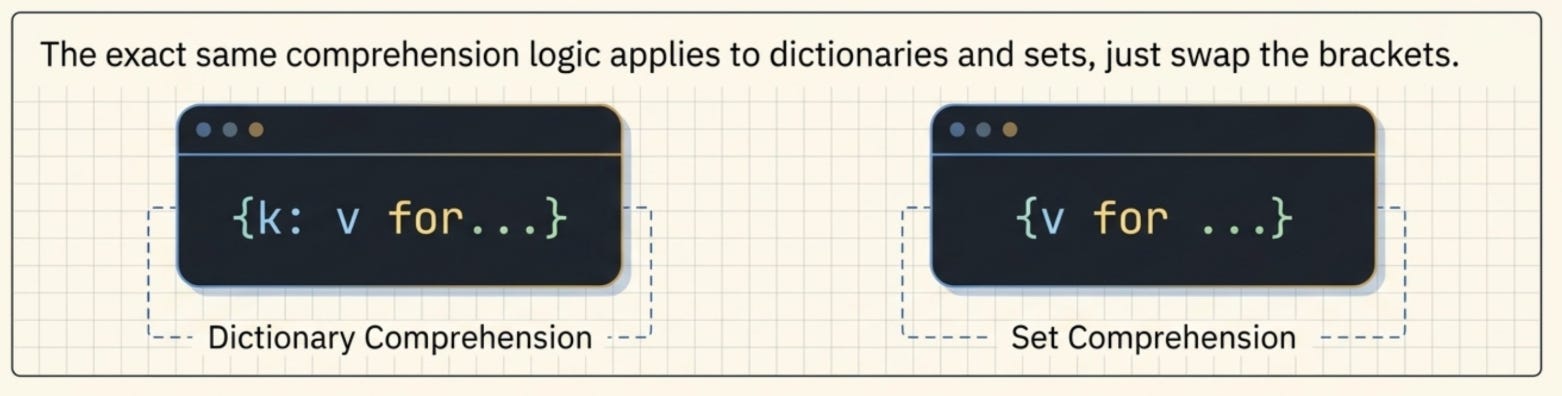
The same idea applies to dictionaries and sets:
word_lengths = {word: len(word) for word in ["python", "is", "amazing"]}
print(f"Word lengths: {word_lengths}")

unique_squares = {x**2 for x in [-2, -1, 0, 1, 2]}
print(f"Unique squares: {unique_squares}")
Output:
Word lengths: {'python': 6, 'is': 2, 'amazing': 7}
Unique squares: {0, 1, 4}
Lambda Functions
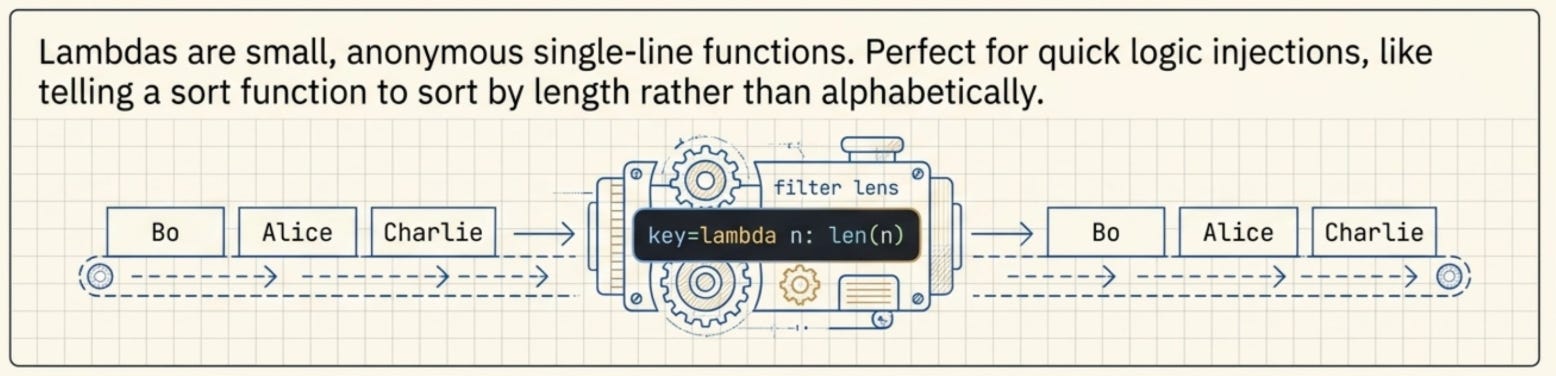
A lambda is a small, anonymous function you can write in a single line. You use it when you need a function for a short, specific purpose and do not want to define a full function with def.
double = lambda x: x * 2
print(f"Lambda double(5): {double(5)}")

names = ["Charlie", "Alice", "Bob"]
names.sort(key=lambda n: len(n))
print(f"Sorted by length: {names}")
Output:
Lambda double(5): 10
Sorted by length: ['Bob', 'Alice', 'Charlie']
The key=lambda n: len(n) tells the sort function to sort by the length of each name rather than alphabetically. Lambdas shine in situations like this where you need to define quick sorting or filtering logic on the fly.
Error Handling with try/except
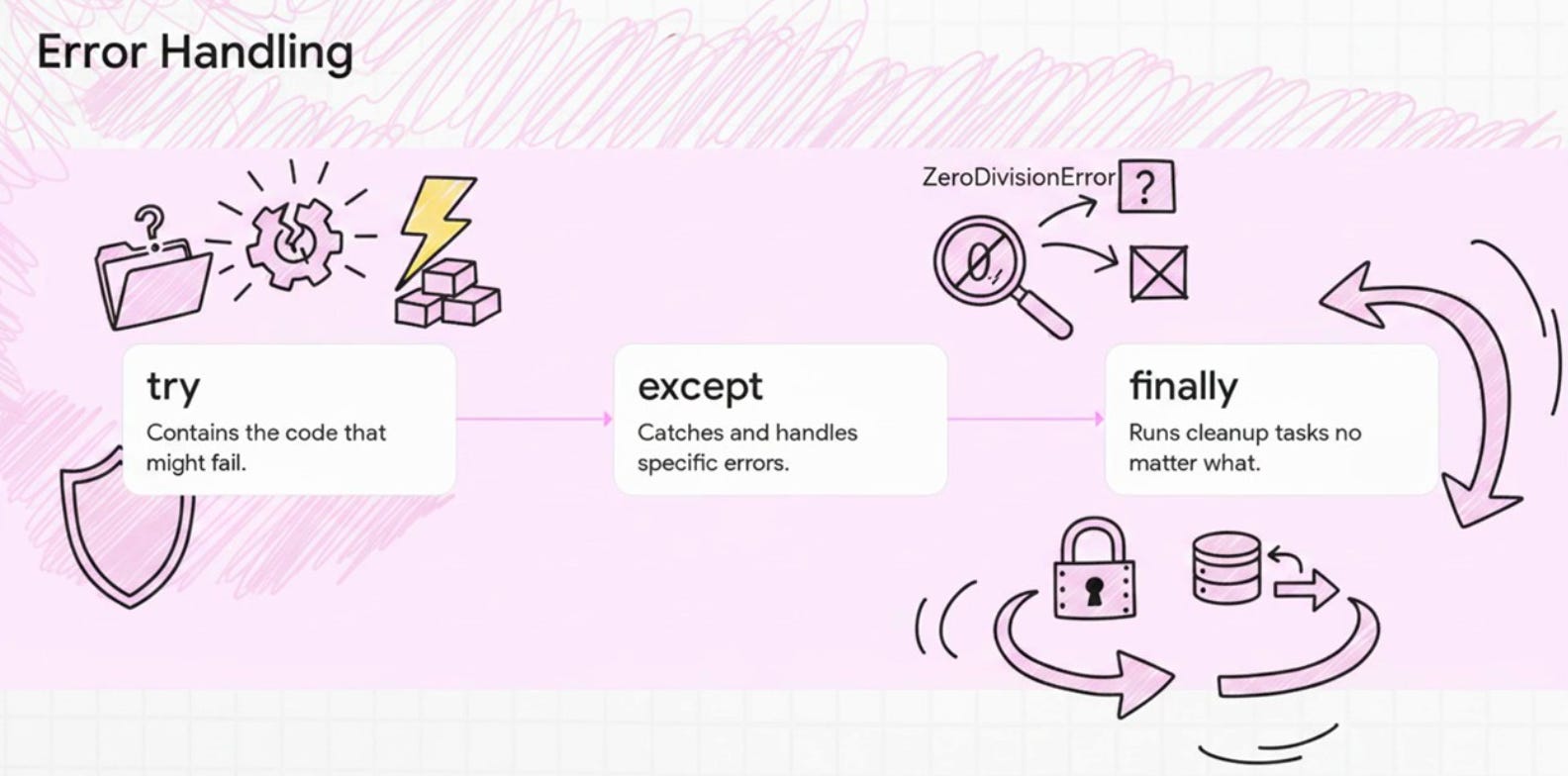
Programs encounter unexpected situations all the time. A user enters text instead of a number. A file is missing. A division by zero happens. Error handling lets your program deal with these gracefully instead of crashing.
print("Error handling:")
try:
    result = 10 / 0
except ZeroDivisionError as e:
    print(f"Caught error: {e}")
finally:
    print("This always runs")

try:
    num = int("hello")
except ValueError as e:
    print(f"Caught ValueError: {e}")
Output:
Error handling:
Caught error: division by zero
This always runs
Caught ValueError: invalid literal for int() with base 10: 'hello'
The try block contains the code that might fail. If an error occurs, Python jumps immediately to the matching except block. The finally block runs no matter what, whether an error happened or not. It is perfect for cleanup tasks like closing a file or a database connection.
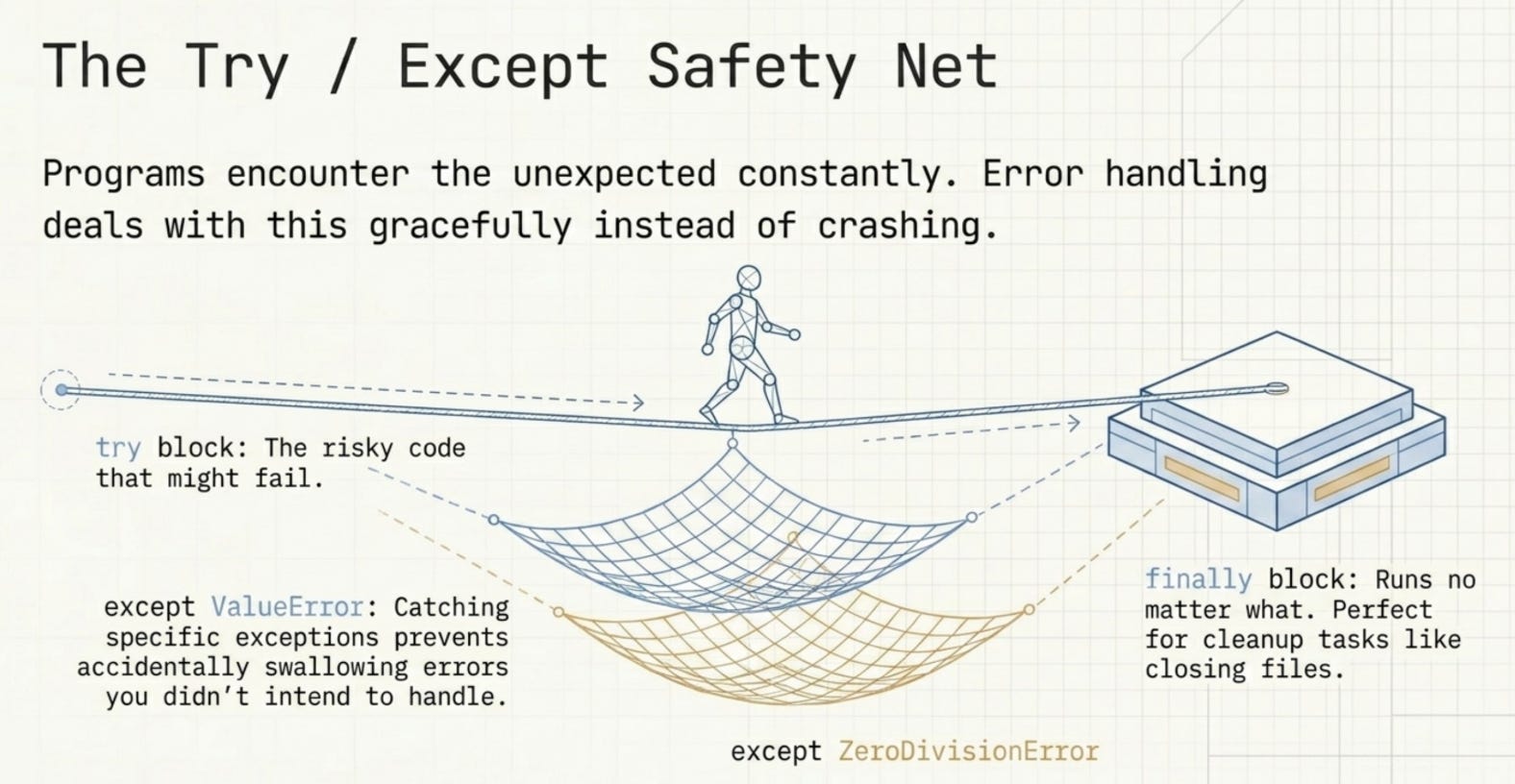
Being specific with your exception types (ZeroDivisionError, ValueError) is better than catching all exceptions blindly. It makes your code clearer and prevents you from accidentally swallowing errors you did not intend to handle.
Part 6: File Handling
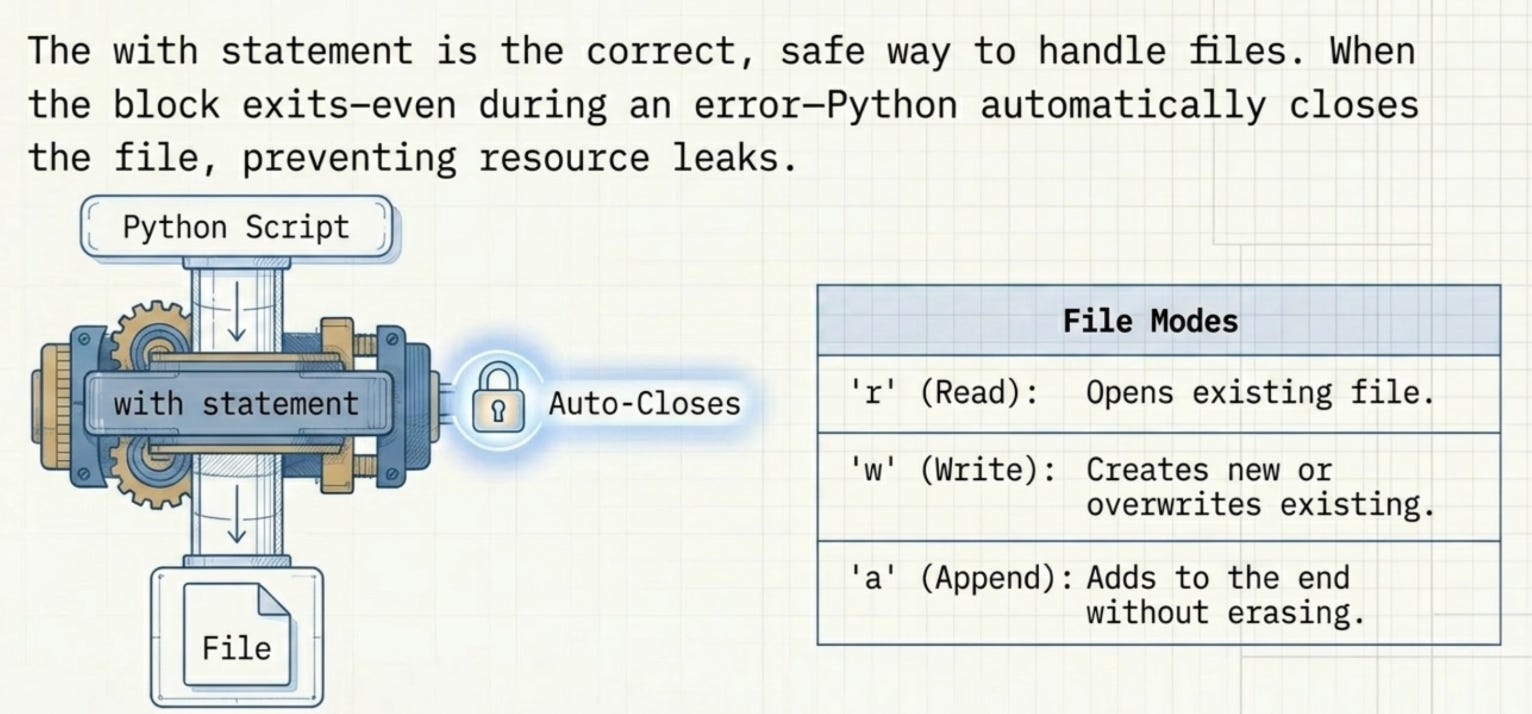
Reading from and writing to files is something almost every real program needs to do. Python makes this straightforward with the open() function.
# Writing
with open("notes.txt", "w") as f:
    f.write("Line 1: Python is great\n")
    f.write("Line 2: File handling is easy\n")
    f.write("Line 3: with statement is safe\n")

# Reading entire file
with open("notes.txt", "r") as f:
    content = f.read()
print(content)

# Reading line by line
with open("notes.txt", "r") as f:
    for i, line in enumerate(f, 1):
        print(f"  Line {i}: {line.strip()}")

# Appending
with open("notes.txt", "a") as f:
    f.write("Line 4: Appended line\n")
Output:
--- Reading entire file ---
Line 1: Python is great
Line 2: File handling is easy
Line 3: with statement is safe

--- Reading line by line ---
  Line 1: Line 1: Python is great
  Line 2: Line 2: File handling is easy
  Line 3: Line 3: with statement is safe

--- After appending ---
Line 1: Python is great
Line 2: File handling is easy
Line 3: with statement is safe
Line 4: Appended line
The with statement is the correct way to handle files in Python. When the with block exits (even if an error occurs), Python automatically closes the file for you. Without it, you would need to manually call f.close() and risk leaving files open if something goes wrong.
The three modes you will use most:
"w"(write): Creates the file if it does not exist, overwrites if it does."r"(read): Opens an existing file for reading."a"(append): Adds content to the end of an existing file without erasing what is there.
Part 7: Mini Projects
Now let us put everything together and build three real, working projects.
Mini Project 1: Calculator
def calculator(a, b):
    results = {}
    operations = ["+", "-", "*", "/"]

    for operation in operations:
        if operation == "+":
            results[operation] = a + b
        elif operation == "-":
            results[operation] = a - b
        elif operation == "*":
            results[operation] = a * b
        elif operation == "/":
            results[operation] = a / b if b != 0 else "Error: Division by zero"

    print(f"Input: a = {a}, b = {b}")
    for op, result in results.items():
        print(f"  {a} {op} {b} = {result}")

calculator(12, 4)
Output:
=== Simple Calculator ===

Input: a = 12, b = 4
  12 + 4 = 16
  12 - 4 = 8
  12 * 4 = 48
  12 / 4 = 3.0
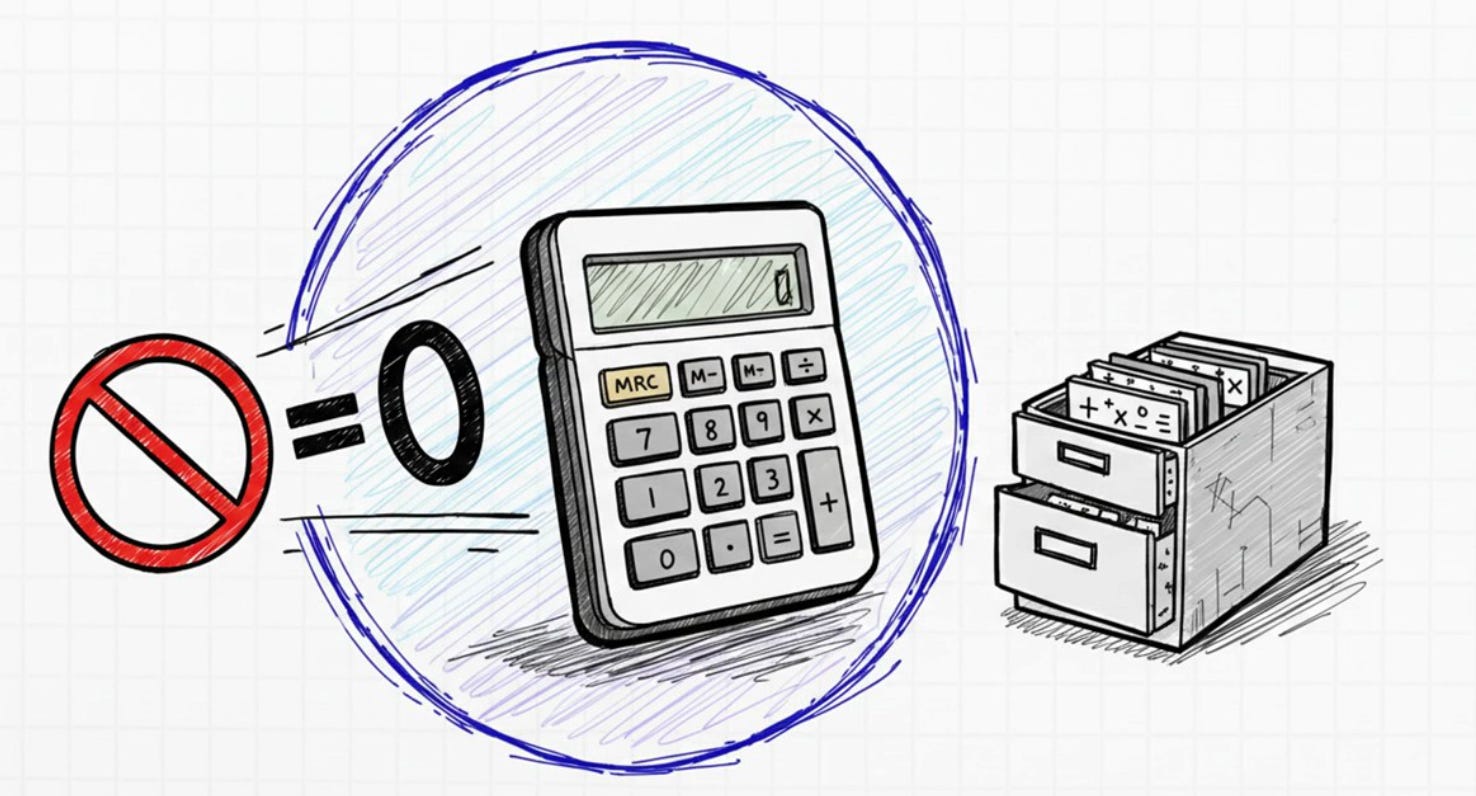
This calculator uses a dictionary to store results for each operation. The ternary expression a / b if b != 0 else "Error: Division by zero" prevents a crash when someone tries to divide by zero. We loop through the results dictionary at the end to print everything neatly.
Mini Project 2: To-Do List CLI

import json, os

TODO_FILE = "todos.json"

def load_tasks():
    if os.path.exists(TODO_FILE):
        with open(TODO_FILE, "r") as f:
            return json.load(f)
    return []

def save_tasks(tasks):
    with open(TODO_FILE, "w") as f:
        json.dump(tasks, f, indent=2)

def add_task(title):
    tasks = load_tasks()
    tasks.append({"id": len(tasks) + 1, "title": title, "done": False})
    save_tasks(tasks)
    print(f"Added: '{title}'")

def complete_task(task_id):
    tasks = load_tasks()
    for task in tasks:
        if task["id"] == task_id:
            task["done"] = True
            save_tasks(tasks)
            print(f"Completed: '{task['title']}'")
            return
    print("Task not found.")

def list_tasks():
    tasks = load_tasks()
    if not tasks:
        print("No tasks yet!")
        return
    print("\nYour To-Do List:")
    for task in tasks:
        status = "[x]" if task["done"] else "[ ]"
        print(f"  {status} {task['id']}. {task['title']}")

def delete_task(task_id):
    tasks = load_tasks()
    tasks = [t for t in tasks if t["id"] != task_id]
    save_tasks(tasks)
    print(f"Deleted task {task_id}")
Simulated usage:
add_task("Learn Python basics")
add_task("Build a calculator")
add_task("Practice file handling")
add_task("Complete mini projects")
list_tasks()
complete_task(1)
complete_task(3)
list_tasks()
delete_task(2)
list_tasks()
Output:
=== To-Do List CLI Demo ===
Added: 'Learn Python basics'
Added: 'Build a calculator'
Added: 'Practice file handling'
Added: 'Complete mini projects'

Your To-Do List:
  [ ] 1. Learn Python basics
  [ ] 2. Build a calculator
  [ ] 3. Practice file handling
  [ ] 4. Complete mini projects
Completed: 'Learn Python basics'
Completed: 'Practice file handling'

Your To-Do List:
  [x] 1. Learn Python basics
  [ ] 2. Build a calculator
  [x] 3. Practice file handling
  [ ] 4. Complete mini projects
Deleted task 2

Your To-Do List:
  [x] 1. Learn Python basics
  [x] 3. Practice file handling
  [ ] 4. Complete mini projects
This project combines almost everything we learned. Tasks are stored as a list of dictionaries and saved to a JSON file so they persist between runs. The delete_task function uses a list comprehension to filter out the task with the matching ID. This is a real pattern you will see in production code.
Mini Project 3: File Parser
def parse_csv(filepath):
    results = []
    with open(filepath, "r") as f:
        lines = f.readlines()

    headers = lines[0].strip().split(",")

    for line in lines[1:]:
        if line.strip():
            values = line.strip().split(",")
            record = {headers[i]: values[i] for i in range(len(headers))}
            results.append(record)

    return results

def analyze(data):
    scores = [int(r["score"]) for r in data]
    ages = [int(r["age"]) for r in data]

    print(f"Total records   : {len(data)}")
    print(f"Average score   : {sum(scores)/len(scores):.1f}")
    print(f"Highest score   : {max(scores)}")
    print(f"Lowest score    : {min(scores)}")
    print(f"Average age     : {sum(ages)/len(ages):.1f}")

    top = max(data, key=lambda r: int(r["score"]))
    print(f"\nTop performer   : {top['name']} from {top['city']} with score {top['score']}")

    passed = [r for r in data if int(r["score"]) >= 75]
    print(f"Passed (>=75)   : {[r['name'] for r in passed]}")
Sample CSV file:
name,age,score,city
Alice,23,88,Mumbai
Bob,30,72,Delhi
Charlie,25,95,Bangalore
Diana,28,61,Chennai
Eve,22,89,Hyderabad
Frank,35,77,Pune
Output:
=== File Parser Demo ===

Parsed Records:
  {'name': 'Alice', 'age': '23', 'score': '88', 'city': 'Mumbai'}
  {'name': 'Bob', 'age': '30', 'score': '72', 'city': 'Delhi'}
  {'name': 'Charlie', 'age': '25', 'score': '95', 'city': 'Bangalore'}
  {'name': 'Diana', 'age': '28', 'score': '61', 'city': 'Chennai'}
  {'name': 'Eve', 'age': '22', 'score': '89', 'city': 'Hyderabad'}
  {'name': 'Frank', 'age': '35', 'score': '77', 'city': 'Pune'}

Total records   : 6
Average score   : 80.3
Highest score   : 95
Lowest score    : 61
Average age     : 27.2

Top performer   : Charlie from Bangalore with score 95
Passed (>=75)   : ['Alice', 'Charlie', 'Eve', 'Frank']
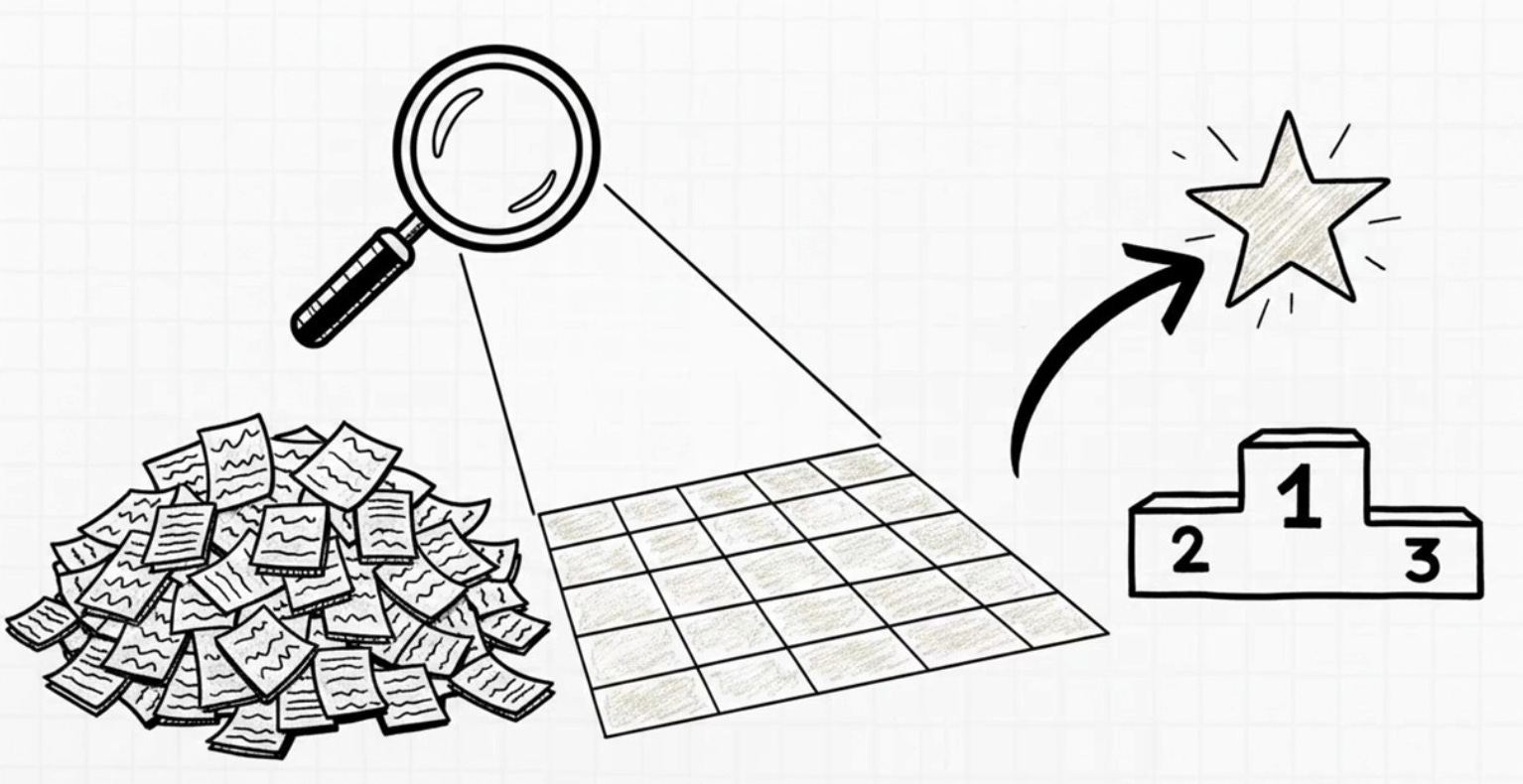
The parser reads the first line as headers, then uses a dict comprehension inside a loop to turn each subsequent line into a properly labeled dictionary. The analysis functions use list comprehensions to extract just the scores or ages and then apply built in functions like max(), min(), and sum(). The max(data, key=lambda r: int(r["score"])) line finds the person with the highest score by using a lambda as the comparison key.
Conclusion:
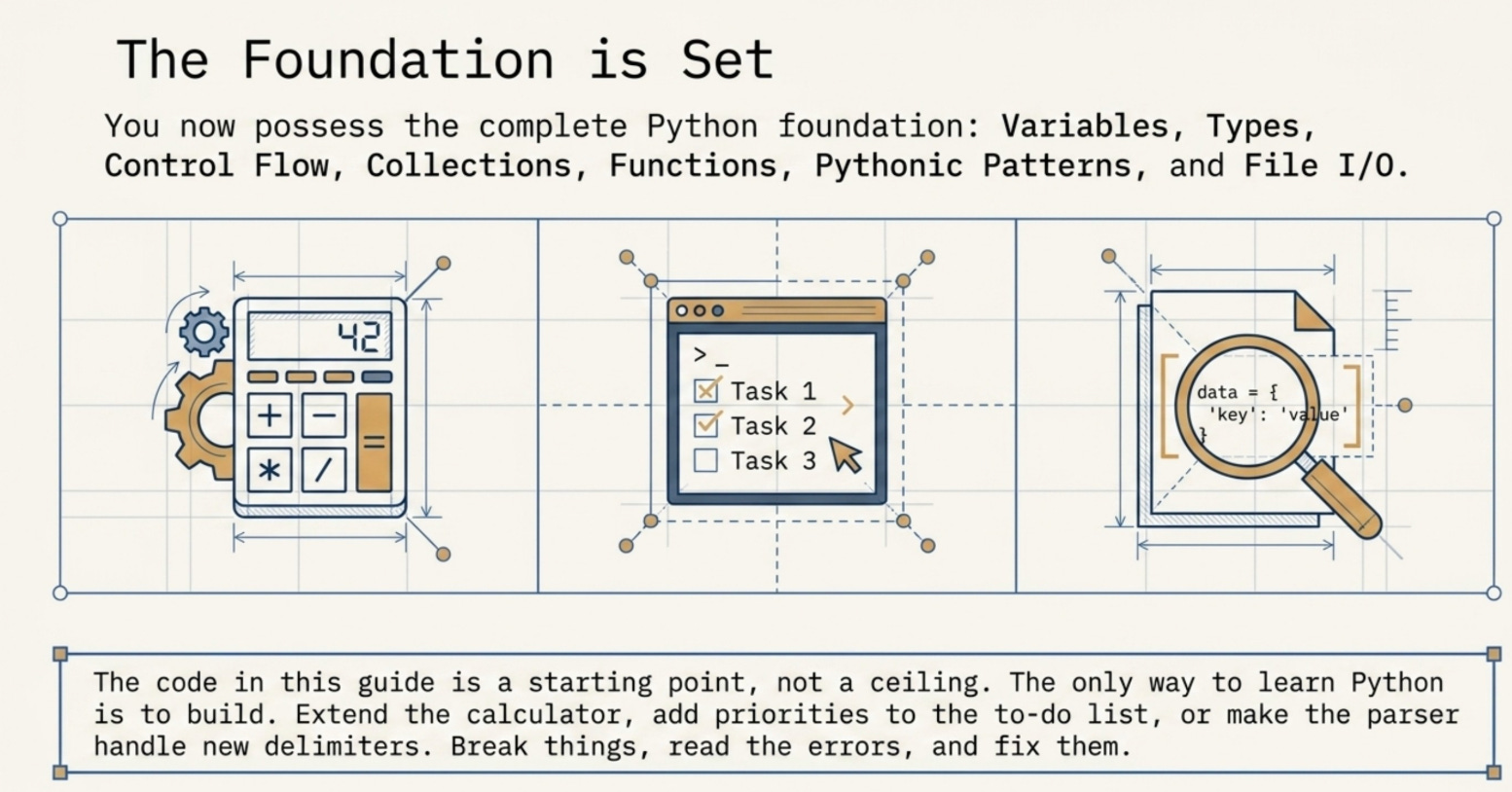
The most important next step is to build something. Pick one of the mini projects and extend it. Add new features to the calculator. Add a priority level to the to-do list. Make the file parser handle different delimiters. Breaking things and fixing them is how you actually learn Python. The code in this guide is a starting point, not a ceiling.
Note: All images are either from Notebooklm or generated through Nano Banana